Trek
LOOP / ITERATION — *keeps going around until the work is done.*
Listen along — Trek
Loading audio…
Press play to listen along. The line being read lights up as you go.
Show full transcript
Loading transcript…
Chapter 3 — Trek and the Circular Track
The air in the CodeRealm hummed with activity. Alex squinted at the massive wall blueprint. “We need to build how many identical sections?”
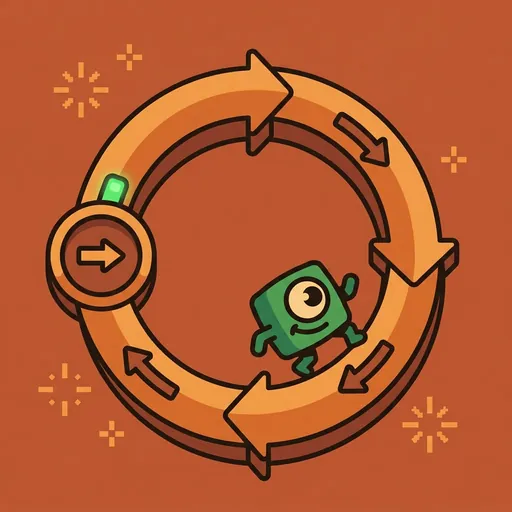
A small, painted figure rolled forward. It was Trek, a circular track with a tiny counter ticking on its side. Arrows on Trek’s track pointed forward, always forward, in a never-ending circle. Trek didn’t speak. Instead, a calm, clear voice echoed through the space. This was Loop, Trek’s voice, explaining the core of its being.
“The task requires repetition,” Loop stated. “Many identical sections. Building them one by one, copying and pasting each instruction, would take too long.”
Alex nodded slowly. “Like writing ‘place brick’ a thousand times?”
“Exactly,” Loop confirmed. “Trek shows a better way. It embodies the loop primitive. A loop means running the same block of code repeatedly. Again and again, until the work is done.”
Alex watched Trek’s counter click from 0 to 1, then 2. The arrows spun. “So it just keeps going?”
“It keeps going,” Loop said, “but with a crucial rule. A loop needs a stopping condition. Without one, it would repeat forever. An infinite loop.” Loop paused, letting the silence hang. “Imagine a robot building bricks, never stopping, burying the entire CodeRealm in a mountain of identical walls.”
Alex shivered. The idea was both funny and terrifying.
“There are different ways to set up these repetitions,” Loop continued. “Think of them as different types of loops.”
A holographic display shimmered into existence beside Trek. It showed a simple brick-laying program.
“First, we have for loops,” Loop explained. “These run a specific number of times. When you know exactly how many bricks you need – say, ten bricks for one section – a ‘for’ loop is perfect. You tell it: ‘for ten bricks, place one brick.’ It counts them out, one by one, and then stops.”
The display showed for i in 1...10: place_brick(). Trek’s counter clicked rapidly, showing 1/10, 2/10, all the way to 10/10. Then it stopped.
“Next, while loops,” Loop’s voice shifted slightly, “are for when you don’t know the exact number of repetitions beforehand. Maybe you need to keep placing bricks while there’s still space on the wall. Or while the wall hasn’t reached a certain height. The loop continues until that condition is no longer true.”
The display changed: while wall_height < max_height: place_brick(). Trek’s counter started again, but this time, it just showed 1, 2, 3… without a total. It kept going until the wall_height variable on the display finally matched max_height. Then, it halted.
“And finally, for-each loops,” Loop finished. “These are for when you have a collection of items, like a list of specific bricks, each with a unique color or shape. You want to do something to each item in that list. The ‘for-each’ loop goes through every single item, one by one, until the list is empty.”
The display showed for brick in special_bricks_list: paint_brick(brick.color). Trek’s arrows spun, and the counter showed it processing each brick from a small, virtual pile until the pile was gone.
“So, Trek helps us avoid writing the same thing over and over,” Alex summarized. “And we always need a way for it to stop.”
“Precisely,” Loop affirmed. “Otherwise, chaos. Or at least, a lot of wasted energy.”
Alex thought about the robot building bricks forever. He chuckled. “I get it. But what if something goes wrong in the middle of a loop? Or I need to skip one?”
Loop’s counter reset. “Good questions. Sometimes, you need to adjust the flow. A ‘break’ command lets you exit a loop early, even if the stopping condition hasn’t been met yet. Imagine a sudden earthquake. You ‘break’ from brick-laying and run.”
The display showed a for loop, but halfway through, a break command appeared, and Trek’s counter stopped abruptly.
“A ‘continue’ command, on the other hand,” Loop explained, “skips the rest of the current iteration and jumps straight to the next one. If you find a cracked brick, you ‘continue’ past it and pick up the next good one, without stopping the whole process.”
The display showed a for loop where, on one iteration, a continue command made Trek’s counter skip directly to the next number, ignoring the place_brick() instruction for that specific step.
“And sometimes,” Loop added, “you’ll find loops inside other loops. These are called nested loops. Imagine building ten walls, and each wall needs ten sections, and each section needs ten bricks. That’s a loop for walls, containing a loop for sections, containing a loop for bricks.”
The display showed three nested loops, and Trek’s counter, instead of just one number, showed 1.1.1, then 1.1.2, quickly escalating in complexity. “Be careful with these,” Loop warned. “The work grows very quickly. Multiplicatively.”
Alex’s head spun a little. “So many loops.”
“Indeed,” Loop said. “And a related concept, one you might encounter with Coil, is recursion. That’s when a function calls itself. Loops can often be rewritten as recursion, and vice versa. They both handle repetition, just in different styles.”
Trek’s arrows spun, a silent, persistent reminder. “Keep going around until the work is done,” Loop’s voice concluded. “Stopping condition required. Not a runner; a repeater.”
“Not hard,” Alex murmured. “Repeat with stopping condition.” He looked at the blueprint again, a new understanding dawning. The wall didn’t look so daunting anymore. It just looked like a lot of loops.
The CodeRealm ensemble
Trek is part of CodeRealm's distributed-narrative cast. Each character embodies a different curricular primitive; together they teach the full subject.
-

Stash
Variable / storage — the labeled box that holds a value until you call for it
-

Fork
Conditional / branching — chooses a path based on what's true right now
-

Module
Function / encapsulation — does one job well and can be called anywhere
-

Glitch
Debugging / inspection — finds bugs gently, never shaming; 'there's always a reason'
-

Order
Sequence / syntax — reminds you that order matters in code
-
Row
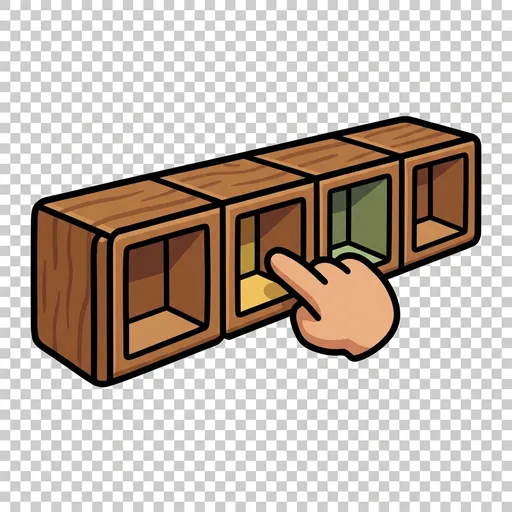
A list: many values lined up in a numbered row, so you can grab item number three instantly or walk through them one by one.
-
Port
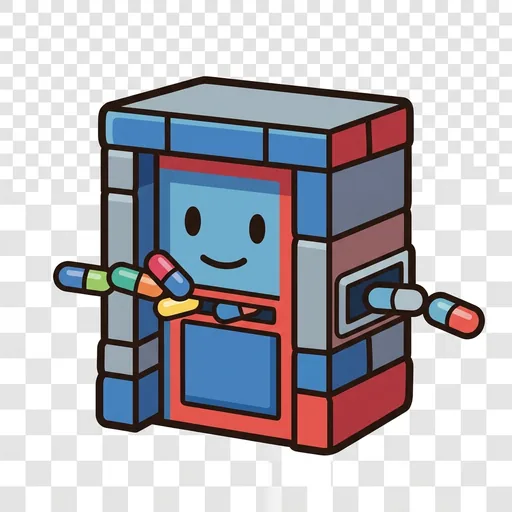
Input and output: the doorway that brings information in from the world (a key press, a sensor) and sends results back out.
-
Ping
An event: a waiting bell that does nothing until its trigger happens, then runs its code the instant it is struck.
-

Shuffle
Randomness: a fresh unpredictable value each time — a dice roll, a shuffled deck — so a program can surprise, vary, and stay fair.